Asset-first field service management

Field service management built around assets, cost and operational impact.

Sepolo connects service planning, technicians, assets, spare parts, reports, ERP data and business impact in one operational platform for companies that need more than basic work order tracking.
ERP-owned master data
Microsoft Copilot support
Impact Mapping for physical assets
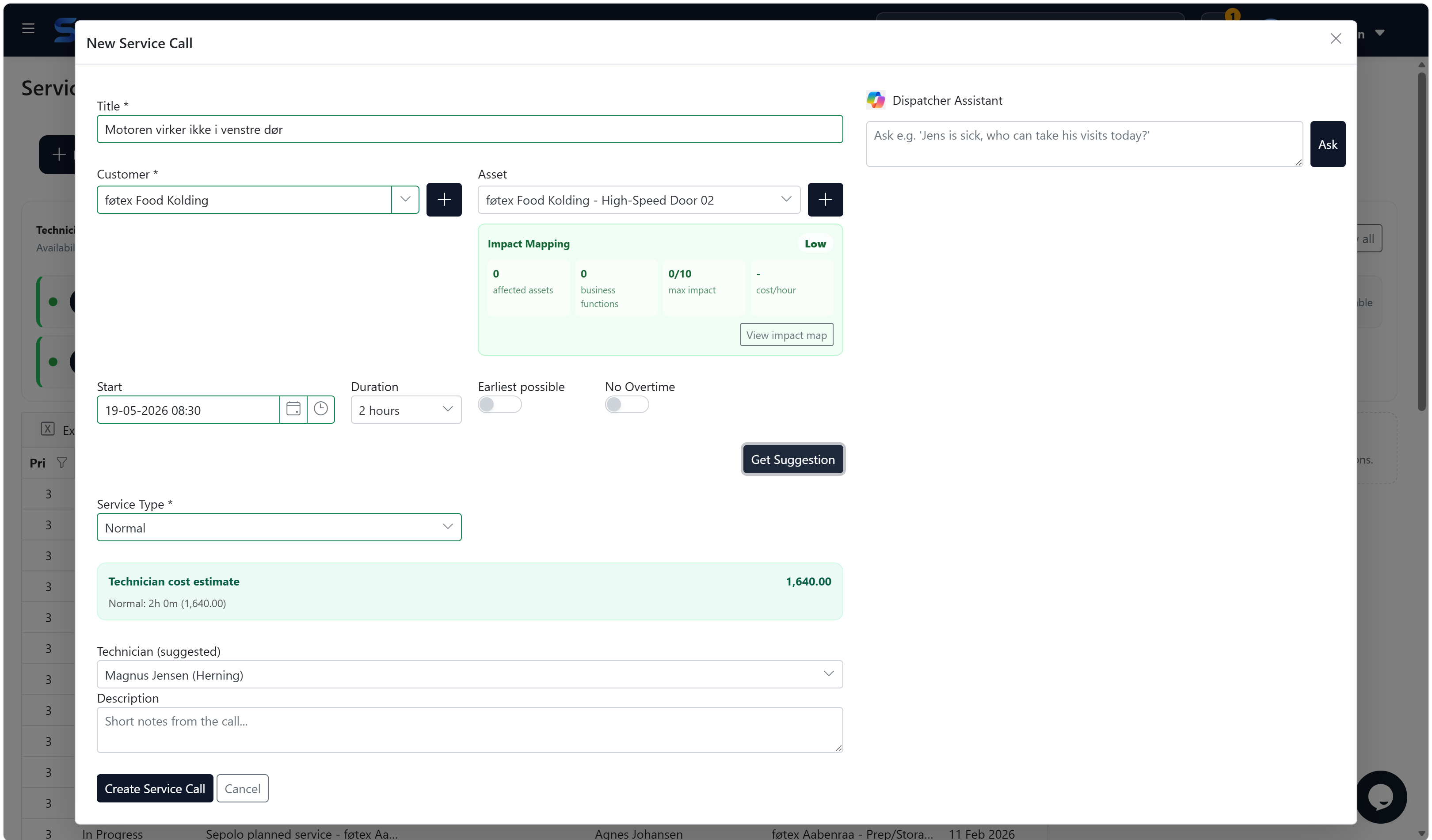
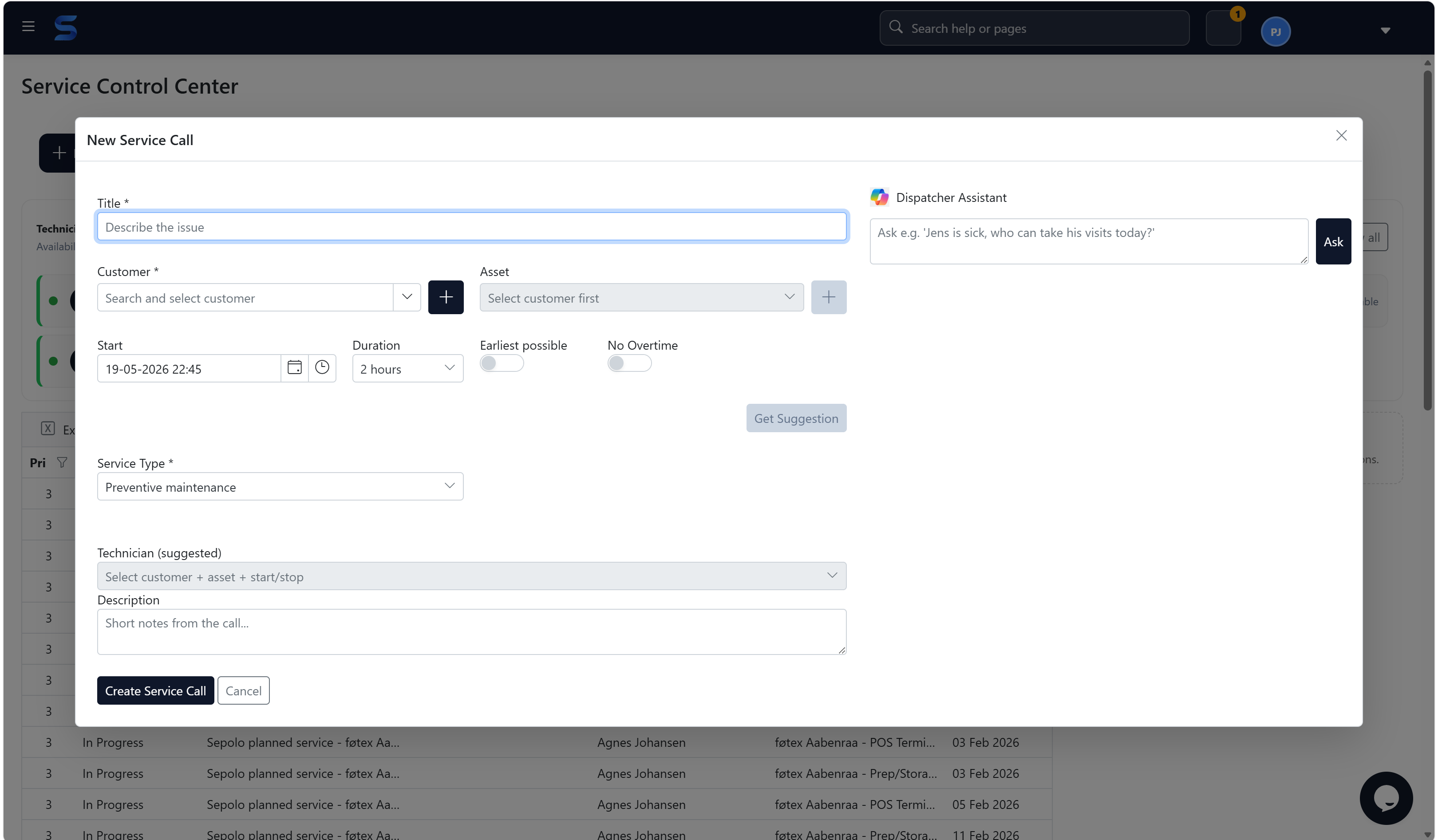
Sepolo Service Control Center showing a new service call with Microsoft Copilot dispatcher assistant and impact mapping
Service Control Center. Create a service call, select customer and asset, see impact, estimate cost and ask the Microsoft Copilot-powered dispatcher assistant for help.

5 min

ERP synchronization cycle

360°

Customer and asset view

1

Workflow from visit to invoice

Microsoft ecosystem

Sepolo is now an official Microsoft Partner.

Sepolo runs on Microsoft Azure and integrates with Dynamics 365 Business Central, giving service organizations a stronger Microsoft-aligned foundation for operations, finance and reporting.

Partner

Official Microsoft Partner

A stronger foundation for customers that already standardize service, finance and reporting around Microsoft.

Cloud

Built on Microsoft Azure

Hosted on Microsoft Azure infrastructure with a practical architecture for secure field service, asset and IoT data.

ERP

Business Central ready

Synchronize customers, vendors, items and invoice-ready service data with Dynamics 365 Business Central.

Product overview

Field Service Management with Microsoft Copilot and Business Impact Analysis.

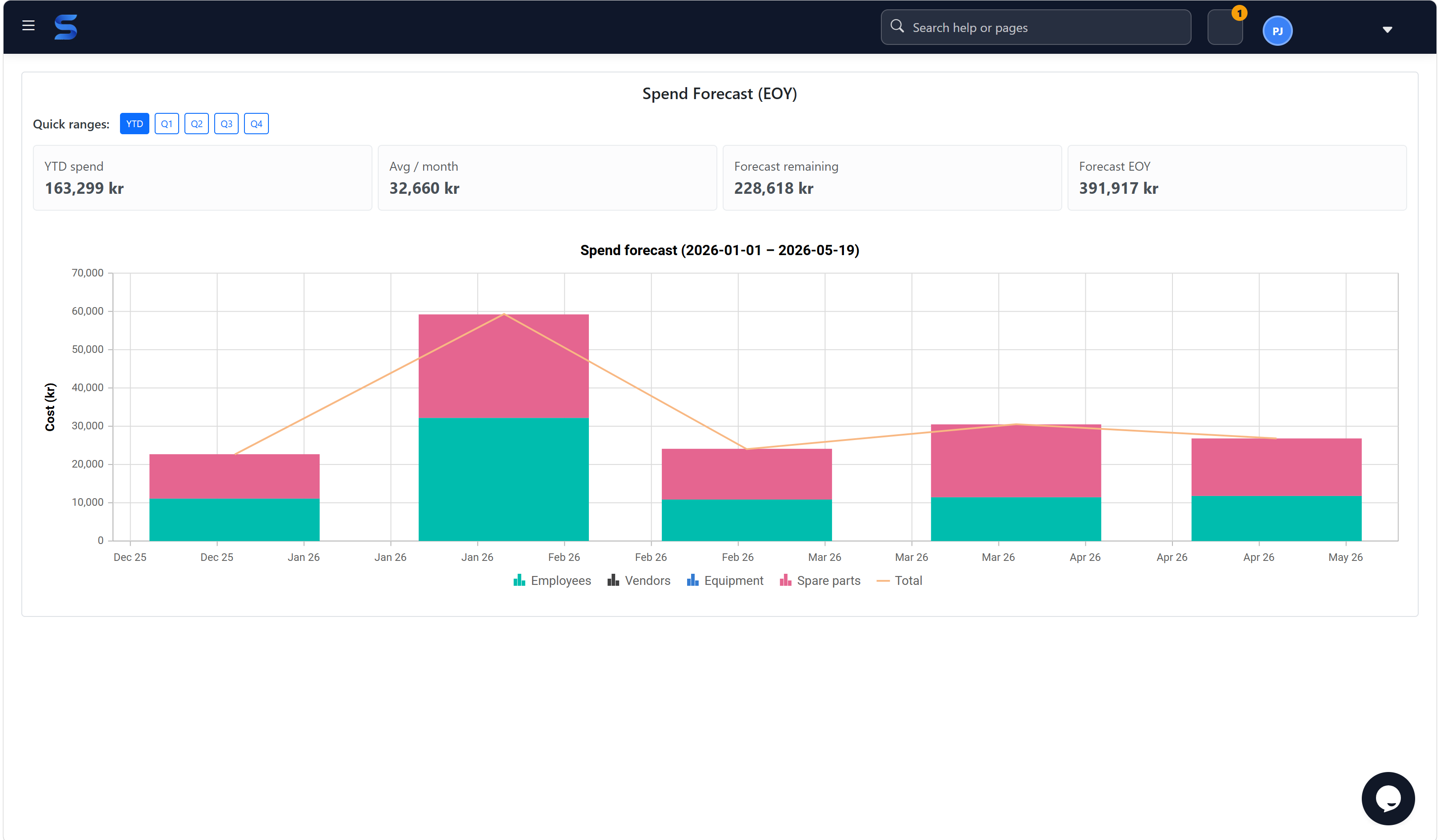
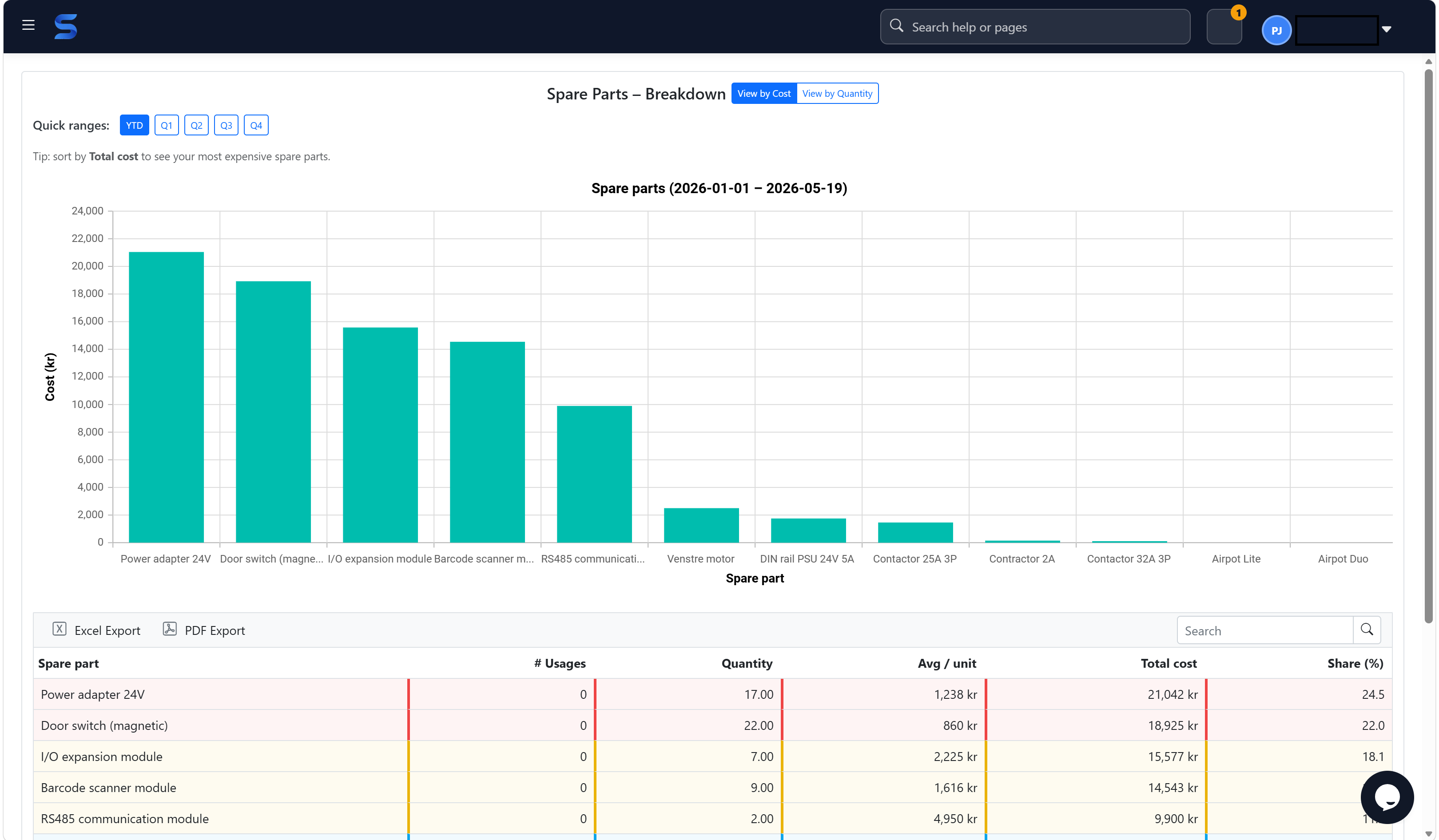
Sepolo helps dispatchers plan work, technicians complete reports, finance prepare ERP invoices and management understand service cost, spare parts, asset history and business impact.

Platform

One operational service model for assets, people, parts and profitability.

Use Sepolo as the operational layer between ERP, technicians and assets. Start with service calls and reports, then add stock, ERP integration, Copilot-assisted dispatching, Impact Mapping and management insight as the business matures.

Service control and technician dispatch

Plan service visits, assign technicians, follow status and keep customer, asset and visit context together as work changes during the day.

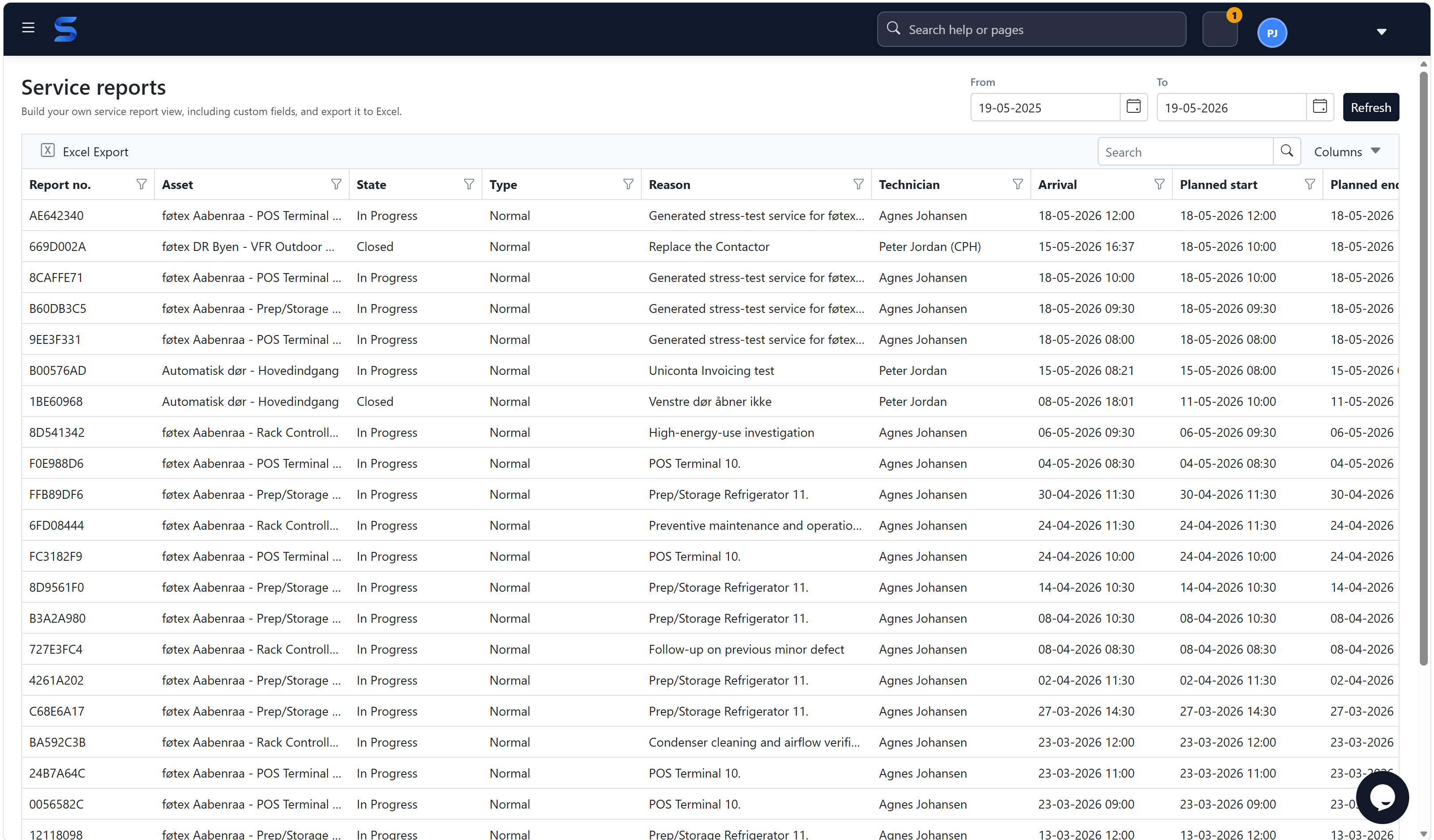
Configurable service reports

Define the fields and layouts each group needs, from mandatory time registration to custom operational checks.

Asset and customer insight

See service history, replaced parts, resources, revenue, cost and margin from the customer detail view.

Resources and parts

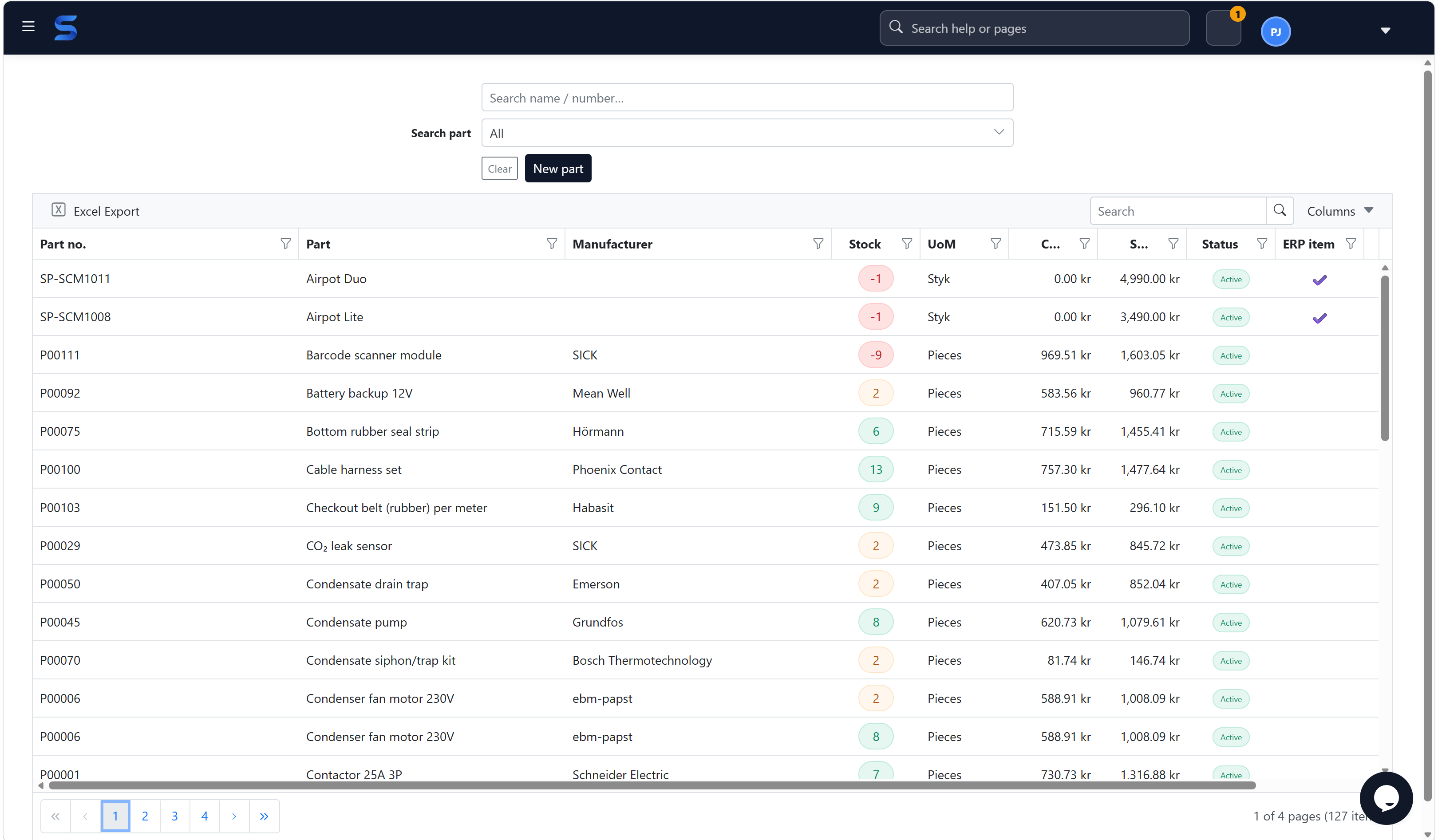
Track employee time, travel time, vendors, equipment and inventory so the invoice reflects the work actually delivered.

ERP integration

Let ERP own customers, vendors, units and items while Sepolo handles service execution and invoice preparation.

Impact Mapping and Business Impact Analysis

Map asset dependencies, classify criticality, connect equipment to business functions and see what may be affected when something fails.

Business Impact Analysis (BIA)

Understand what the business may lose when equipment fails.

Impact Mapping is Sepolo's practical, non-IT version of CMDB thinking for physical equipment. Customers can classify critical assets, map what powers, feeds, controls or supports what, and preview affected business functions before setting priority.

Impact MappingOperational dependenciesCriticality scoringBusiness functionsDowntime cost
Sepolo Impact Mapping screen with business functions, asset relationships and critical unmapped assets
Map assets, relationships and business functions so service priority reflects business impact, not only the fault itself.

Business process

From service request to accountant-ready invoice.

Sepolo is designed around the real service chain. Dispatchers plan the visit, technicians document the work, the platform calculates billable lines, and ERP receives a draft invoice for final posting.

01

Create the service request

Select or create the customer and asset, then let ERP take ownership of master data when an integration is active.

02

Plan the visit

Book resources, estimated work and travel time, and keep the visit visible until it is ready for invoicing.

03

Complete the report

Technicians register actual time, replaced spare parts, findings and customer-specific report fields.

04

Generate invoice lines

Sepolo prepares billable resources and parts with the right cost and sales foundation.

05

Hand over to ERP

The accountant receives a draft invoice in ERP and can check accounts before posting.

Designed to work with the ERP systems your customers already trust.

Sepolo treats ERP as the owner of master data and focuses on the service process around it.

A service platform beyond classic IT.

Sepolo can support technicians and service companies working with production equipment, technical installations, machines and business-critical assets.

Industrial service
Factory equipment
Technical installation
Facilities and maintenance
Machine service
IoT-connected assets

Ready to connect field service, ERP and business impact?

Start with service calls, technicians and reporting today, then grow into Microsoft Copilot-assisted dispatching, Impact Mapping, Business Impact Analysis, contracts, SLA and asset dependency management when the business is ready.

Start with Sepolo
Sepolo | Field Service Management, ERP integration and Business Impact Analysis